
Your company in your pocket.
Take pictures, check and share receipts on the go, keep track of tasks, see account balances and look up customers – and for your customers: Invoices, bookings, notifications and invitations directly on your smartphone. The FirmaZentral app connects to your own FirmaZentral installation. No cloud, no clipboard - your data stays on your server.
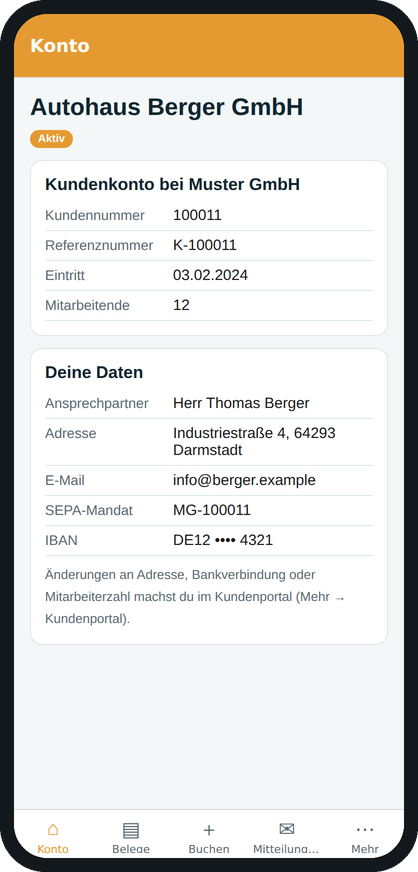
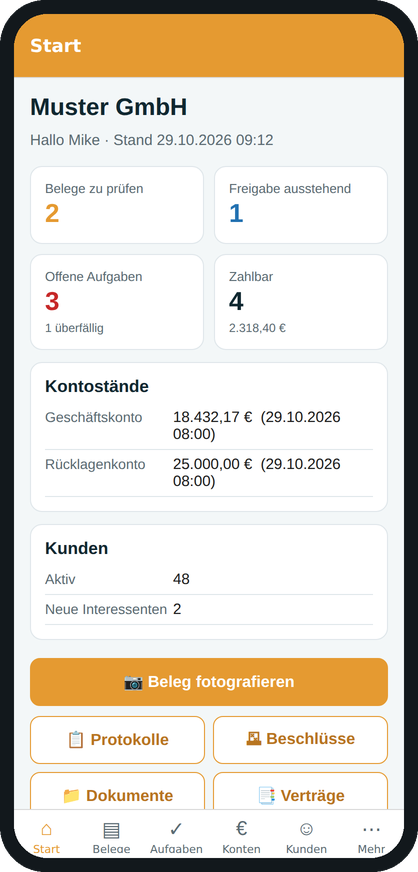
FirmaZentral has its own app.
GenoZentral, VereinZentral and FirmaZentral appear as separate apps – each with its own icon, colour and the terms of your product. You simply search for ‘CompanyCentral’ in the store. The publication runs through the developer account of MAI Dienstleistungs eG; We will enter the store links here as soon as Apple and Google have completed the examination.
Development completed
Management and customer functions, push notifications, app lock, offline queue and the interface in the plugin are ready.
Tested
On iPhone, iPad and Android devices against FirmaZentral 3.39 – including receipt photos, four-eyes sharing and customer portal.
publication
Submission to the Apple App Store and Google Play. We will inform all companies with booked onboarding by e-mail as soon as the app is available there.
For the management and for every customer.
At the first start, you choose whether to register as a manager or accountant or as a customer. The app then shows exactly the functions that belong to this role – with the same rights as in FirmaZentral itself.
Management & Accounting
Dashboard with open tasks, receipts for review and approval, account balances and customer numbers. Photograph and share receipts on the go, complete tasks, look up customers – logs, resolutions, documents, contracts, invoices and cash registers to look up.
clients
View customer accounts and invoices, book approved services, answer invitations, open documents as PDFs and write a message to the company.
Push notifications
New task, new interested party, receipt waiting for release, due task, newsletter or invitation - the app will contact you when something needs to be done. Who is in the management, receives only information on the areas for which he has rights.
The most important decisions – even if you are not sitting at your desk.
The app is deliberately reduced to what happens on the go: check, share, get done, check. Everything else remains in the complete surface of FirmaZentral.
Everything open at a glance
The homepage shows what needs attention: open and overdue tasks, documents for checking and approval, payable invoices with sum, the account balances of your bank accounts and the customer numbers with new prospects.
- Tiles lead directly to the respective list
- Account balances come from the bank connection (FinTS) of FirmaZentral
- Numbers and rights correspond to the logged-in user
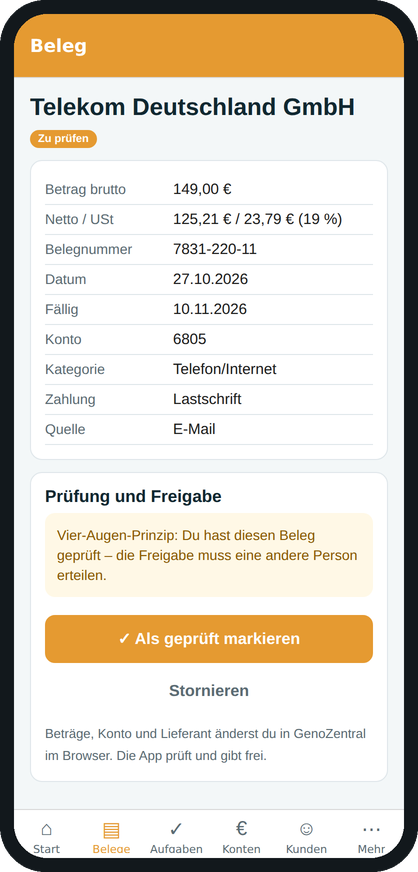
Four-eye release - from a mobile phone
Incoming documents can be filtered by status (to be checked, released, open, unpaid), viewed with document image or PDF and checked or released with a tip. Anyone who has checked a receipt may not also release it – the app complies with the rules from FirmaZentral.
- Document list with supplier, amount, due date and category
- Return or cancel with justification
- Record receipts directly with the camera or upload them from the photo library – they end up in the invoice mailbox and are automatically read out there; without a net they walk into the queue and go out later
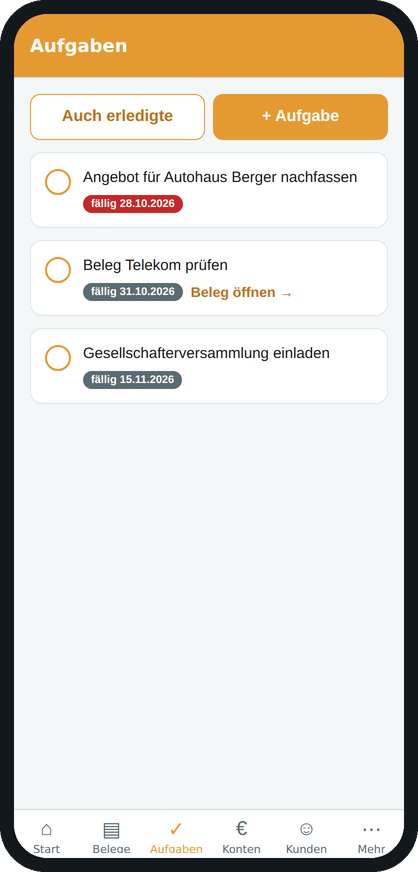
Complete tasks where they occur
All tasks from FirmaZentral – automatically created such as ‘check receipt’ or ‘contract expires’ and own – with due date and reference to overdue. Doing, reopening or creating a new task can be done in seconds, even offline.
- Push note for each new and each due task
- Open linked documents directly from the task
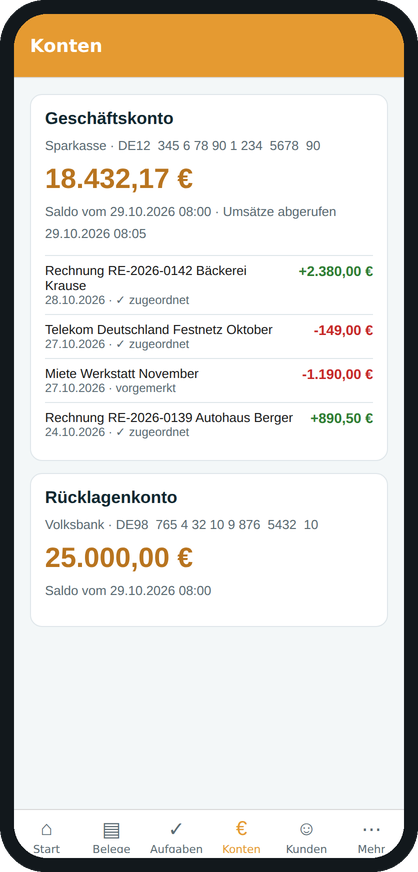
Account balances and customer files on the go
The company’s bank accounts with the balance, the last call and the most recent transactions – including an indication of whether a transaction has already been allocated. For this purpose, the customer search with status, customer number, contact details and history; call or e-mail directly from the file.
- Read-only access to accounts – transfers remain in FirmaZentral with TAN approval
- "Manage", "Accounting" and "Settings" rights apply as in the plugin
The customer portal – as an app.
What customers do in the protected customer portal of your website, they can also do in the app: without password, with reference number and one-time code by e-mail.
Status, customer number, mandate - check at any time
Customer number, reference number, customer page, contact person, address and the stored SEPA mandate (masked). For this purpose, the history of your own customer account.
- Message to the company directly from the app - ends up in the customer file
- Salutation in you or you, as in your companyCentral setting
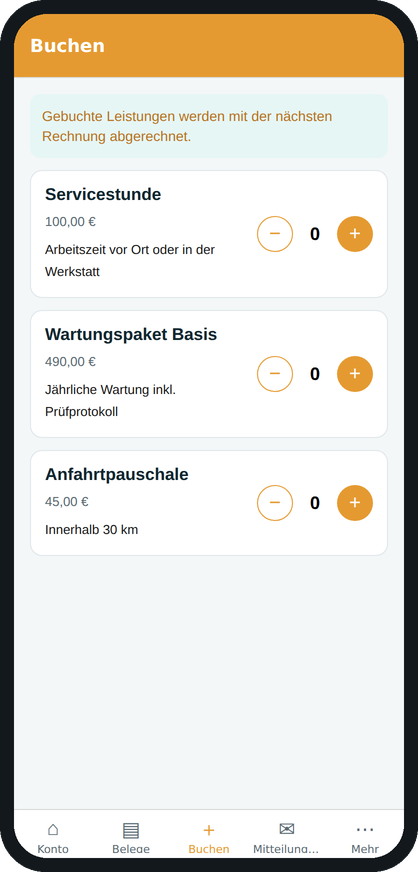
Book services of the company
The items that you have released to your customers for booking will appear with description and price. Customers choose quantities, add a comment and receive the invoice automatically – together with your stored queries from the e-mail templates.
- Articles per customer type as in the plugin
- Invoices then in PDF format under ‘Receipts’
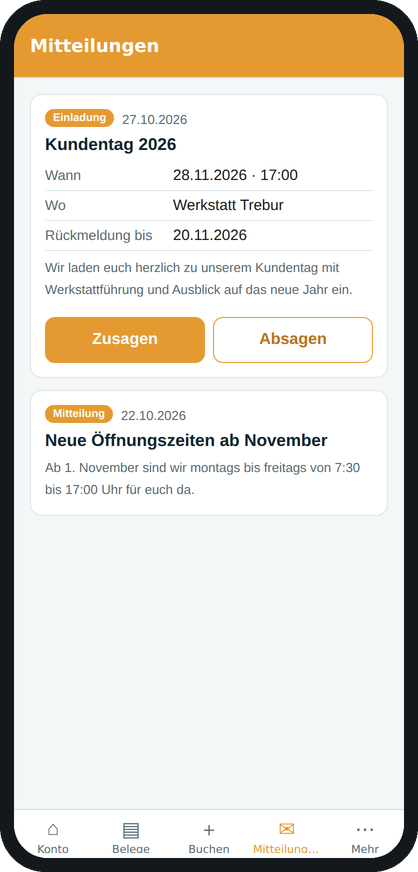
Circular letter with acceptance or rejection
Circulars and invitations – on Customer Day, training, maintenance window – appear in the app; to invitations with date and place, customers reply with promise or rejection, number of persons and remark – the answer is immediately available in FirmaZentral.
- Push note for each new message
- Replies can be changed by the deadline
Invoices, offers and credits
All invoices, offers and credits from the customer with status and due date, each item individually – and the PDF opened or forwarded with a tip.
One app for all companies – each with its own server.
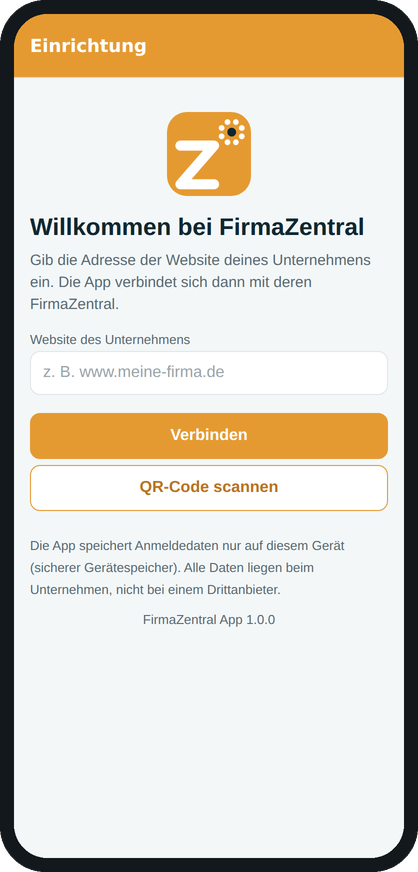
The app is not a cloud service. At launch, enter the address of your CompanyCentral website; After that, the app speaks exclusively to your server via the interface of the plugin.
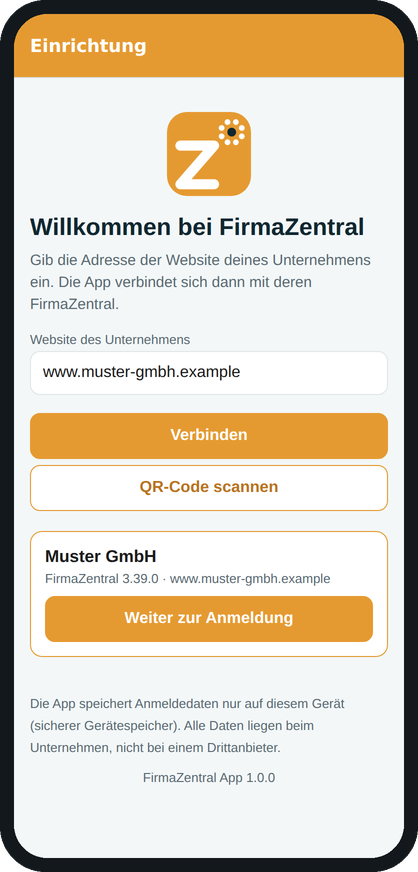
Enter address, select role, log in
- Management & Accounting Sign in with your WordPress account. The app receives its own application password per device – the password itself is not saved and access can be revoked at any time in WordPress.
- clients log in as in the customer portal with reference number and e-mail address and confirm with a one-time code. Device access is valid for 180 days and can be terminated in the app at any time.
- App lock: After logging in, you set a PIN; If desired, you can unlock with fingerprint or Face ID. After an adjustable time in the background, the app requires sharing again.
- Offline queue: Document photos, cash register entries, documents and tasks that are entered without a network automatically go out as soon as the connection is restored – with an overview and repetition in the event of errors.
- Access data is stored in the protected keychain of the device (iOS Keychain / Android Keystore), the connection is encrypted via HTTPS.
- Push notifications are short notices (‘pending release’, ‘new task’, ‘invitation’) and run through Apple’s and Google’s notification services; The content itself gets the app directly from your server. If you do not want any hints, reject the authorization at the first start or turn it off in the device settings.
- The app only shows what the respective role in FirmaZentral is allowed to see – rights, extinguishing protection and the four-eyes principle remain unchanged. Details in the Privacy Policy of the App.
What companies want to know in advance.
Where can I get the app?
How much does the app cost?
Do I need an update from FirmaZentral?
Can I use GenoZentral or VereinZentral with the FirmaZentral app?
Which functions are missing compared to the web interface?
Does the app run on tablets?
CompanyCentral with app - for your company?
We show you plugin and app on your use case and set up a temporary test license.